16:9 vs. 9:16 on iPhone: how to frame one take for both
Understand the practical framing difference between 16:9 landscape and 9:16 portrait video when one iPhone take needs to serve both.
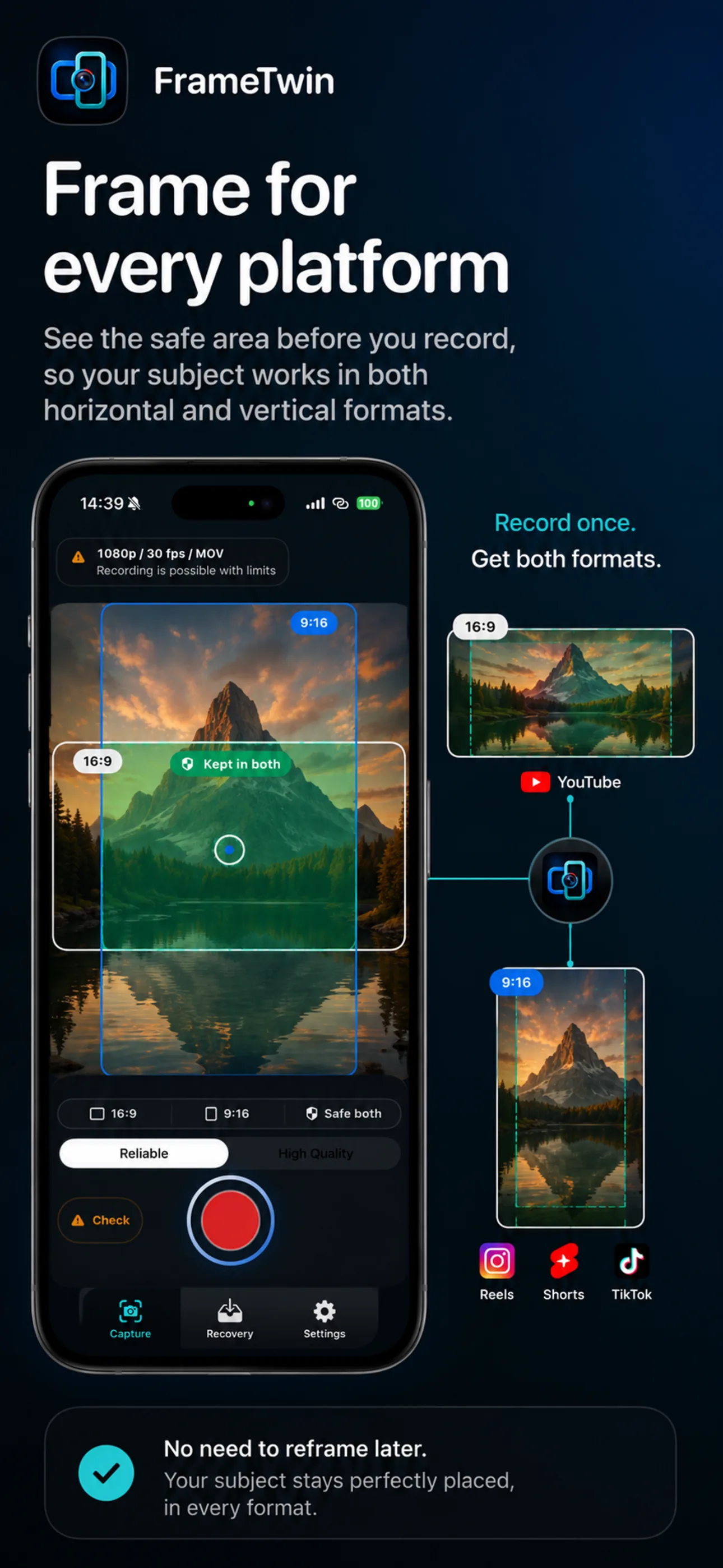
FrameTwin makes the landscape and portrait guides visible together, helping creators check where the subject needs to stay before recording.
16:9 and 9:16 are not just export settings. They change what a viewer can see and where attention goes.
- 16:9 landscape is wide. It works well when the environment, a group, or a horizontal action is part of the story.
- 9:16 portrait is tall and narrow. It puts more attention on a person, a product, or a single vertical action.
If you record for only one format, the other format can become an awkward crop. If you need both from the same moment, frame for the overlap rather than treating one format as an afterthought.
Put the important subject in the shared centre
Imagine a tall portrait rectangle placed inside your wide landscape frame. The safest place for the subject is near the centre of that rectangle. Keep the face, hands, product, or key action there first. Let the landscape frame add context around it.
This is especially useful for interviews, tutorials, product demonstrations, and event recaps. A wide shot can still show the room or audience, but it should not require the vertical viewer to see every edge in order to understand the point.
Leave room in the direction of movement
Framing is not only about the first second. If a person turns, walks, or holds up a product, leave room for that movement inside the central safe area. A shot that begins well can fail for portrait delivery when the subject drifts into the landscape-only edge.
For a static speaker, this is simple: centre the person and leave a comfortable amount of headroom. For a demo, rehearse the hand movement once. For two speakers, reduce the distance between them or switch to a composition where each can remain visible vertically.
Do not put essential text at the edges
Titles, captions, and lower-third information can be added in editing, but physical text in the scene cannot. If a whiteboard, slide, sign, or product label carries the message, make sure it is readable in the central area. Otherwise the vertical version may lose the detail that explains the shot.
Choose the frame before the moment starts
A dual-format workflow is most useful when it changes how you prepare. Check the intended orientation, resolution, frame rate, available storage, and device readiness before an important recording. Then review both outputs after the take rather than assuming the timer alone proves success.
FrameTwin is designed for creators who need 16:9 landscape and 9:16 portrait outputs from one iPhone capture session. Its workflow keeps the two formats, capture readiness, and result state visible so you can make a decision before and after the moment that matters.
For a platform-specific planning example, see how to plan one take for YouTube, Shorts, and Reels.