
How to plan one iPhone take for YouTube, Shorts, and Reels
Use one planned recording session to protect the horizontal and vertical footage you need for YouTube, Shorts, and Reels.
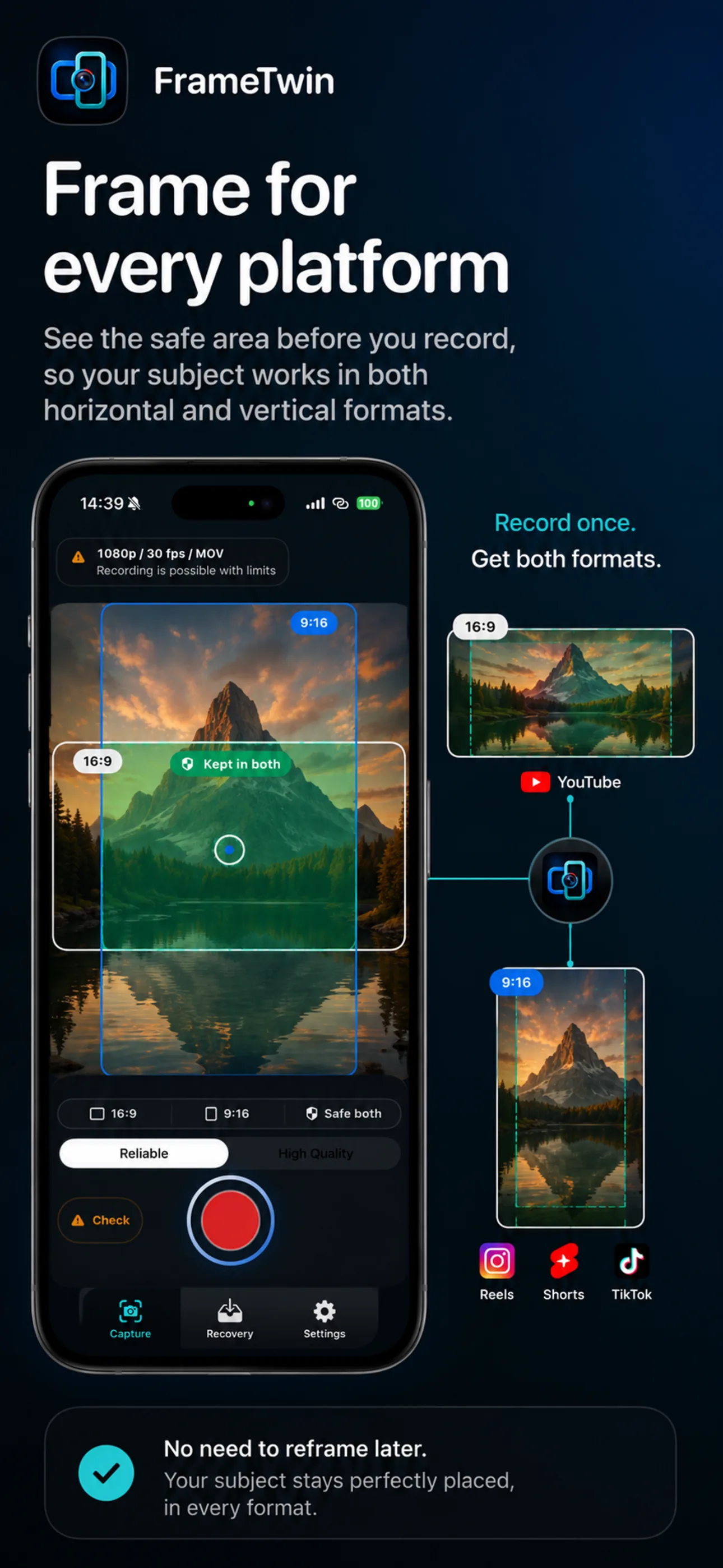
FrameTwin keeps 16:9 and 9:16 framing visible in one iPhone capture workflow, so the original take can support different edits later.
Recording separately for YouTube and social clips can turn a simple shoot into two performances. The presenter repeats the same introduction, the light changes, the product demo no longer feels natural, and the best moment may be impossible to recreate.
Plan the recording around the shared moment instead. You can still make different edits later, but the original capture should support both a horizontal long-form version and a vertical short-form version.
Write one opening that works in both frames
The first few seconds carry most of the pressure. Put the person, product, or action in the centre of the composition and say the useful thing early. Avoid an intro that depends on wide background text or a second person standing at the far edge of frame.
For example, a product creator can begin with the product at chest height, state the result in one sentence, and then move into the demonstration. That opening can introduce a YouTube video and also become the start of a short social edit.
Build the take in short, editable beats
Long recordings are still useful, but they are easier to repurpose when they contain clear beats:
- A direct opening that states the topic or result.
- One action, demonstration, or answer per section.
- A brief pause between sections for editing.
- A closing line that can stand alone if needed.
This structure is not a demand to make everything short. It simply gives an editor clean places to make a vertical recap without damaging the logic of the horizontal version.
Protect the vertical frame during a horizontal take
If the landscape shot is very wide, a later vertical crop may lose the face, hands, or product. Keep the essential action in the central area and use the outer width for atmosphere rather than crucial information.
When two people are involved, bring them closer together than you would for a landscape-only interview. When text is on screen, keep it large and away from the edges. When the product moves, rehearse its path once so it remains in the shared frame.
Keep capture separate from editing decisions
One recording does not mean one finished video. The YouTube version may need context, pauses, and a fuller explanation. A Short or Reel may need one clear idea and a faster cut. Capture the strongest version of the moment first; choose the platform-specific edit after you know both files are safely available.
FrameTwin is built for the capture part of that plan. It creates landscape and portrait outputs from one iPhone recording session and surfaces readiness, recording, and result information around the take. It does not decide your edit or turn a long recording into a finished social clip for you.
If the recording is important, review both outputs before changing location or resetting the scene. That is the moment when a missed frame is still easiest to correct.